Browser Games No Download: Instant Play Guide for Any Device
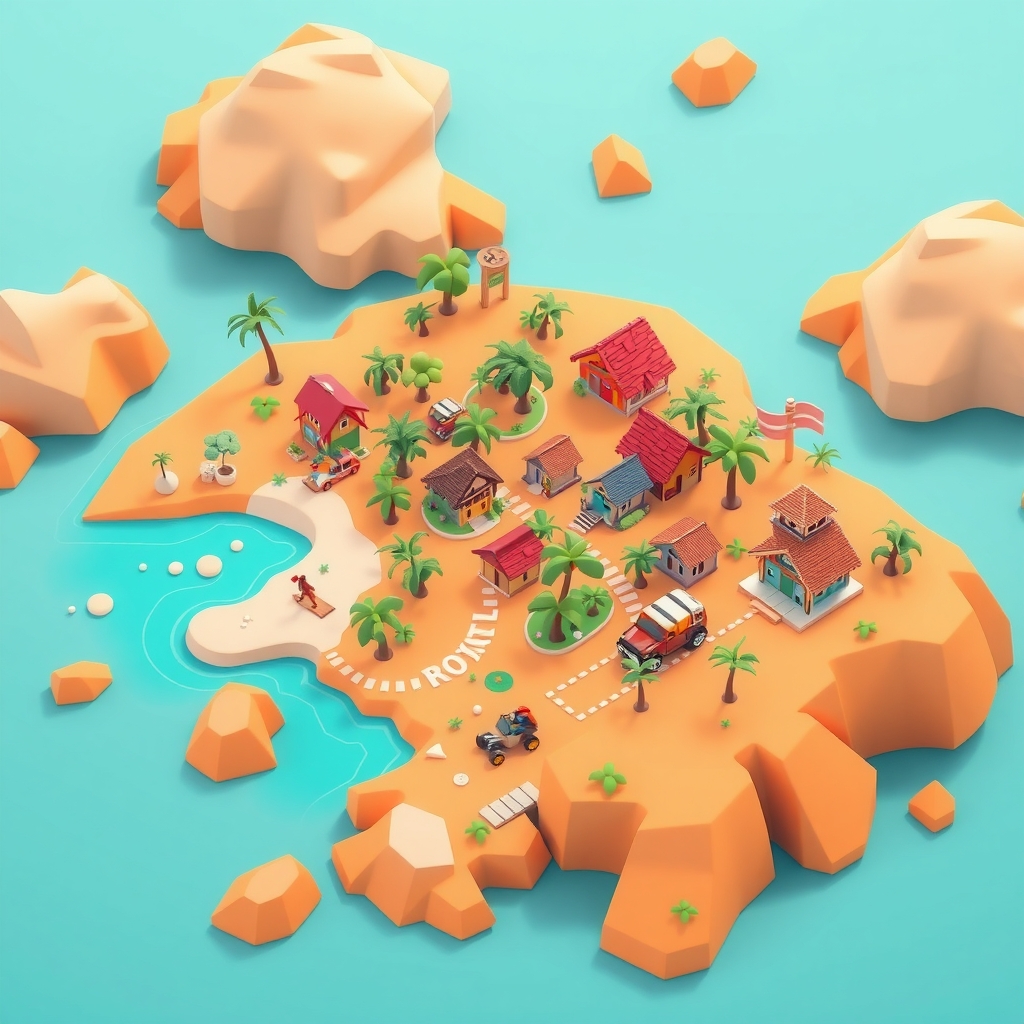
In short: Browser games with no download run directly in your web browser using HTML5 and JavaScript, requiring zero installation. The best instant-play titles work on any device with a stable internet connection, need no account creation, and load in seconds. This guide covers verified games, performance on low-end hardware, safety tips, and how to bypass common access blockers.
No download, no sign-up – jump straight into a match.Play now →
- True no-download browser games use HTML5/JavaScript and need no plugins, installers, or app stores
- Account requirements vary widely: some games allow anonymous play while others force email or social login
- Low-spec devices like school Chromebooks can run lightweight browser games smoothly, but WebGL support and RAM availability determine performance
- Common blockers include firewall restrictions, disabled cookies, and mobile browser compatibility issues with touch controls
- Session length matters for casual play—lobby-based multiplayer games take minutes while strategy titles can run 30+ minutes per match
What Defines a True No-Download Browser Game?
A true no-download browser game loads entirely within your web browser using HTML5 and JavaScript, eliminating installation barriers and compatibility concerns across multiple devices and operating systems Modern browser games run directly in web browsers using HTML5 and JavaScript. You click a link and play—no executable files, no app stores, no storage space consumed.
Three mandatory criteria:
| Criterion | What to Verify | Red Flags |
|---|---|---|
| Zero installation | Game loads in browser tab within 10 seconds | Prompts for.exe,.apk, or plugin downloads |
| No account gate | "Play as guest" or immediate start available | Forced email signup or social login before gameplay |
| Self-contained session | Progress saves locally or via URL; no external launcher required | Requests to download companion app for full features |
Verified examples by load profile:
Instant (under 5 seconds): Cookie Clicker — idle game generating cookies through clicking and automation upgrades; The Password Game — puzzle game with absurd password requirements; Infinite Craft — AI-driven crafting sandbox combining four basic elements endlessly
Moderate (5–15 seconds): Slither.io — real-time multiplayer snake survival consuming orbs against global players; Spelunky — platform adventure with randomly generated cave levels
Structured (15–30 seconds): Konkr — turn-based civilization strategy with short sessions; Catan Universe — board game adaptation with resource trading and online competition; Minecraft Classic — nostalgic building with cooperative multiplayer; Fallen London — narrative text adventure in alternate Victorian underground; Townscaper — creative waterfront city sandbox with no objectives
Games designed for browser efficiency run on lightweight resources, making them accessible on school computers, office laptops, or low-spec devices with stable internet connections Browser games are designed to run efficiently using lightweight resources.
How to Check If Your Device Can Run Browser Games Instantly
Before committing to a game, run a 30-second compatibility test to avoid failed loads and frozen tabs.
Step-by-step device check:
| Check | How to Test | What to Look For |
|---|---|---|
| Browser version | Open browser settings → About | Recent version from the last 1–2 years |
| JavaScript enabled | Visit any interactive site; if buttons respond, JS works | Must be enabled (default in all modern browsers) |
| WebGL support | Go to get.webgl.org | Green checkmark = 3D-capable; red = stick to 2D games |
| Hardware acceleration | Type chrome://gpu (Chrome) or about:support (Firefox) | "Hardware accelerated" status for Canvas and WebGL |
| Available RAM | Close all tabs except one, open browser task manager (Shift+Esc in Chrome) | Sufficient free memory for the game to load without swapping |
Quick load test: Open Cookie Clicker or The Password Game—both load under 5 seconds on functional devices. If either stalls beyond 15 seconds, your browser likely blocks scripts or lacks memory.
Common blocker: School and workplace networks frequently disable WebGL or restrict gaming domains. If the test fails, try loading a verified game from our Browser IO Games Instant Play: No-Download Guide 2026 with alternative hosting mirrors, or switch from restricted Wi-Fi to mobile hotspot.
For low-spec verification, Spelunky runs its randomly generated cave levels efficiently even on outdated hardware Spelunky offers randomly generated levels in its browser version, making it a reliable benchmark for HTML5 performance.
Browser Games vs. App Downloads: Why Instant Play Wins for Casual Sessions
Instant play eliminates the friction that kills casual gaming momentum. No download means no app store authentication, no storage permission dialogs, no multi-megabyte installs, and no update cycles—just a URL and immediate gameplay.
Time-to-play comparison:
| Step | Browser Game | App Download |
|---|---|---|
| Access | Click link | Open store, search, select |
| Authentication | None or optional guest | Store login, payment verification |
| Installation | 0 seconds | 30 seconds to 5+ minutes |
| Storage used | Browser cache only | 50 MB–2 GB permanent |
| Updates | Automatic on reload | Manual or background download |
For sporadic sessions, this difference determines whether you play at all. Cookie Clicker—an idle game generating cookies through clicking and automation upgrades—works on any device with a browser tab you can abandon and revisit hours later without losing progress Cookie Clicker is an idle browser game where players generate cookies through repeated clicking and automation upgrades. The same convenience applies to Infinite Craft, where AI-driven crafting from four basic elements resumes exactly where you left off Infinite Craft is a sandbox-style crafting browser game that begins with four basic elements and uses AI-driven systems to generate unique combinations.
Cross-device portability seals the advantage. Start The Password Game on a school Chromebook, continue on a phone during transit, finish on a home laptop—no sync setup, no platform-locked saves. App ecosystems fragment this experience across operating systems and accounts.
The critical distinction: browser games respect the casual player's most limited resource—attention span. When a session demands less setup than brewing coffee, the barrier to entry disappears entirely.
Verified No-Download Browser Games by Session Length and Genre
Match your available time to the right title using this verified breakdown—no downloads, no account requirements for core play.
| Session Length | Genre | Game | What It Is | How to Play |
|---|---|---|---|---|
| 1–5 minutes | Idle / Incremental | Cookie Clicker | Generate cookies through clicking and automation upgrades with increasingly complex expanding systems Cookie Clicker is an idle browser game where players generate cookies through repeated clicking and automation upgrades | Open tab, click giant cookie, leave running in background |
| 1–5 minutes | Puzzle | The Password Game | Create passwords meeting absurd expanding requirements | Visit site, start typing immediately |
| 1–5 minutes | Sandbox / Crafting | Infinite Craft | Combine four basic elements via AI-driven generation for endless unique combinations Infinite Craft is a sandbox-style crafting browser game that begins with four basic elements and uses AI-driven systems to generate unique combinations | Drag elements together, discover new items |
| 5–15 minutes | Action / Multiplayer | Slither.io | Control growing snake consuming orbs against real-time global competition Slither.io is a multiplayer survival browser game where players control a snake that grows by consuming glowing orbs while competing against other players worldwide in real-time matches | Enter nickname or play anonymous, steer with mouse/touch |
| 5–15 minutes | Platform / Adventure | Spelunky | Explore randomly generated caves collecting treasure and avoiding traps Spelunky offers randomly generated levels in its browser version | Arrow keys to move, X to jump, C to whip |
| 15–30 minutes | Strategy / Turn-based | Konkr | Expand territory and manage resources in civilization-inspired short sessions Konkr is a turn-based strategy browser game inspired by classic civilization-building games, where players expand territory and manage resources in short gameplay sessions | Click to claim tiles, end turn, build units |
| 15–30 minutes | Board Game | Catan Universe | Trade resources and build settlements in browser adaptation of tabletop classic Catan Universe is a browser adaptation of the tabletop board game that allows players to trade resources, build settlements, and compete online without physical board components | Optional account for ranked play; guest mode available for casual matches |
| 15–30 minutes | Sandbox / Creative | Minecraft Classic | Nostalgic building with fewer blocks and cooperative multiplayer | Open minecraft.net/classic, share URL for friends to join |
| 15–30 minutes | Narrative / Text | Fallen London | Story-driven alternate Victorian underground with player decisions | Click through story cards, manage action points |
| Open-ended | Creative / Relaxation | Townscaper | Build colorful waterfront towns with no objectives or fail states | Click to place blocks, right-click to remove, no save required |
Selection rule: For interrupted connections or shared devices, prioritize titles with local URL-based saves (Infinite Craft, The Password Game) over those requiring server-side accounts (Catan Universe ranked mode, Fallen London persistent character).
Multiplayer Browser Games: Anonymous Play vs. Account Requirements
The gap between "no download" and "no friction" determines whether multiplayer browser games deliver on their promise. Some titles let you compete within seconds; others erect account walls that defeat the purpose of instant play.
Anonymous entry options:
| Game | Multiplayer Mode | Account Required? | How to Start |
|---|---|---|---|
| Slither.io | Real-time global matches | No—nickname only | Load page, type any name, click play Slither.io is a multiplayer survival browser game where players control a snake that grows by consuming glowing orbs while competing against other players worldwide in real-time matches |
| Minecraft Classic | Cooperative building | No—URL-based invites | Open minecraft.net/classic, share link with friends |
Account-gated features to watch for:
Catan Universe runs full multiplayer in guest mode for casual matches, but ranked play and progress tracking demand registration Catan Universe is a browser adaptation of the tabletop board game that allows players to trade resources, build settlements, and compete online without physical board components. Fallen London ties its narrative multiplayer elements—social actions and competitive storytelling—to persistent characters that require signup.
Practical filter: Before sharing a "play together" link, test in a private browsing window. If the game loads a lobby without cookies or stored data, it genuinely supports anonymous multiplayer. If it redirects to a registration form, your group needs backup options.
For dedicated no-account multiplayer sessions, see our Browser Multiplayer Games No Download: Play Instantly With Friends guide.
Safety, Privacy, and Troubleshooting Common Access Blockers
No-download browser games eliminate installation risks, but instant access introduces different vulnerabilities—network filtering, data collection, and broken functionality.
Privacy checkpoints before playing:
| Risk | What to verify | Quick test |
|---|---|---|
| Data harvesting | Privacy policy mentions cookie scope and third-party sharing | Check if the game loads tracking scripts in browser dev tools (F12 → Network tab) |
| Persistent identifiers | Games saving progress via localStorage vs. server accounts | Cookie Clicker stores saves locally; clear cookies to test Cookie Clicker is an idle browser game where players generate cookies through repeated clicking and automation upgrades |
| Cross-site embedding | Iframe sources from unknown domains | Verify the URL bar shows the expected domain, not a redirect farm |
Common blockers and fixes:
School/work firewalls: Games relying on WebSocket connections (Slither.io real-time multiplayer) often fail where HTTP-only sites succeed. Fallback to turn-based or single-player titles like Konkr or The Password Game Konkr is a turn-based strategy browser game inspired by classic civilization-building games, where players expand territory and manage resources in short gameplay sessions.
WebGL disabled: Townscaper and Minecraft Classic require WebGL. Enable via
chrome://flagsor switch to text-based Fallen London.Mobile browser compatibility: Infinite Craft functions on touch devices but drag-and-drop precision drops on screens under 5 inches Infinite Craft is a sandbox-style crafting browser game that begins with four basic elements and uses AI-driven systems to generate unique combinations. Use landscape orientation or switch to desktop mode.
Account hygiene: For games requiring registration (Catan Universe ranked play, Fallen London persistent character), use a dedicated email alias rather than your primary address. Guest modes exist for both but sacrifice progress retention Catan Universe is a browser adaptation of the tabletop board game that allows players to trade resources, build settlements, and compete online without physical board components.
Performance reality check: Browser games are designed to run efficiently using lightweight resources, making them accessible on school computers, office laptops, or low-spec devices with stable internet connections. If a tab crashes, disable hardware acceleration in browser settings or reduce open tabs—RAM contention kills performance before CPU limits do.
Our Own Game: LudoSnake – Instant Battle Royale in Your Browser
Full disclosure: we make LudoSnake. We built it because we wanted the battle royale drop-and-loot loop without the 20 GB download or mandatory account creation.
What you get: Open ludosnake.xyz and you're in a 40-player match within seconds. No email, no password, no app store—just a browser and a jump key. The anonymous device account tracks your coins and unlocks across sessions without ever asking for personal data.
How a match flows:
| Step | Action | Time |
|---|---|---|
| 1 | Load page, VS AI or Multiplayer lobby | 0–30 s |
| 2 | Plane flies over 480 m island; press JUMP at 60 m | ~10 s flight |
| 3 | Glide toward one of five towns (Mango Farm, Red Fort, etc.) | ~15 s |
| 4 | Loot, fight, survive 6 shrinking safe zones | 3–8 min |
Device reality: The mobile-first touch controls with aim assist make it genuinely playable on phone browsers—not a shrunken desktop port. On PC, WASD and mouse work as expected. The optional PWA install adds a home screen icon but changes nothing about the instant browser experience.
The honest limit: School firewalls blocking WebSocket multiplayer will break the PvP lobby. VS AI mode still works offline-capable since bots fill immediately. For raw performance, close other tabs; the 3D low-poly engine runs on Chromebooks but RAM contention stutters matches before CPU does.
Drop into a 40-player match right now at ludosnake.xyz—no download, no login, just hit jump and survive.
Quick Reference: Performance Tips for School Chromebooks and Old Phones
Browser games promise instant play, but hardware limits turn that promise into frustration without the right setup. Modern browser games run directly in web browsers using HTML5 and JavaScript, eliminating installation barriers and compatibility concerns across multiple devices and operating systems—yet elimination of barriers does not mean elimination of resource constraints.
Chromebook-specific fixes:
| Problem | Cause | Fix |
|---|---|---|
| Tab crashes during multiplayer | Limited RAM with shared video memory | Close all non-essential tabs; run only the game tab |
| Input lag in real-time games | Default keyboard repeat rate too slow | Enable chrome://flags/#enable-experimental-web-platform-features for smoother WebSocket polling |
| WebGL errors on older models | GPU blacklist blocks hardware acceleration | Override via chrome://flags/#ignore-gpu-blocklist, then test Townscaper or Minecraft Classic |
Old phone adjustments:
- Disable battery saver: Android and iOS throttle JavaScript execution in power-saving modes, which can add noticeable input delay to real-time games like Slither.io.
- Force desktop mode: Mobile sites often load heavier ad frameworks. Request desktop site in browser settings to bypass these.
- Clear site data weekly: Cookie Clicker localStorage bloat degrades save/load speed over time Cookie Clicker is an idle browser game where players generate cookies through repeated clicking and automation upgrades.
Network prioritization: School WiFi shapes traffic by port. Browser games are designed to run efficiently using lightweight resources, making them accessible on school computers, office laptops, or low-spec devices with stable internet connections—but stability matters more than raw bandwidth. Test with ping 8.8.8.8 in crosh (Chromebook) or terminal; if response times fluctuate heavily or lag spikes occur, switch to turn-based Konkr rather than real-time multiplayer Konkr is a turn-based strategy browser game inspired by classic civilization-building games, where players expand territory and manage resources in short gameplay sessions.
For more low-spec multiplayer options, see our Browser IO Games Instant Play: No-Download Guide 2026.
Ready to test these optimizations? Drop into a 40-player match right now at ludosnake.xyz—no download, no login, just hit jump and survive.
FAQ
What makes a true no-download browser game?
A genuine no-download browser game loads entirely within your web browser using HTML5, CSS, and JavaScript. It requires no executable files, no app store installation, and no browser plugins like Flash. You navigate to a URL and the game runs immediately. Some titles may offer optional Progressive Web App (PWA) installation for offline access, but the core experience remains playable without any download step.
Are browser games safe to play without downloading?
Browser games are generally safer than downloaded software because they run in a sandboxed environment with limited access to your file system. Risks mainly involve data collection through mandatory accounts, intrusive advertising networks, or phishing sites mimicking popular games. Stick to established domains, check for HTTPS encryption, and avoid games that demand unnecessary permissions like camera or microphone access for non-voice-chat titles.
Why do some browser games still ask me to create an account?
Many developers use accounts to enable progress saving, cross-device synchronization, and social features. However, this creates friction for players seeking instant access. Some games offer anonymous play with local storage for saves, while others force email verification before any gameplay. True no-login games use browser-based identifiers or simply discard progress between sessions, prioritizing immediate access over retention mechanics.
Can I play browser games on a school or work computer?
This depends on network restrictions. Schools and workplaces often block gaming domains through firewalls or content filters. Additionally, some networks disable WebGL for security reasons, which breaks 3D browser games. If you encounter blocks, try checking whether the game offers a text-based or simplified mode. For legitimate educational breaks, lightweight 2D titles using basic HTML5 canvas features have higher success rates than WebGL-dependent games.
How do browser games perform on old phones and low-spec devices?
Performance varies by game complexity and device capabilities. Simple 2D games with minimal animation run smoothly on devices with 2GB RAM and basic processors. 3D browser games require WebGL support and more RAM—older phones may experience frame drops, overheating, or browser crashes. For reliable performance, close background apps, use updated browsers, and prefer games with adjustable quality settings or automatic detection for low-end hardware.
What is the difference between 'no download' and 'no install' browser games?
These terms are often used interchangeably, but technically 'no download' means no files transfer to your device before play begins, while 'no install' means no system-level installation process occurs. Some games download temporary cache files during first load to improve subsequent performance, which blurs the line. Progressive Web Apps add further complexity: they install a home screen shortcut but may not download significant offline assets unless explicitly configured.