Browser Games No Download Multiplayer: Instant Play Guide 2026
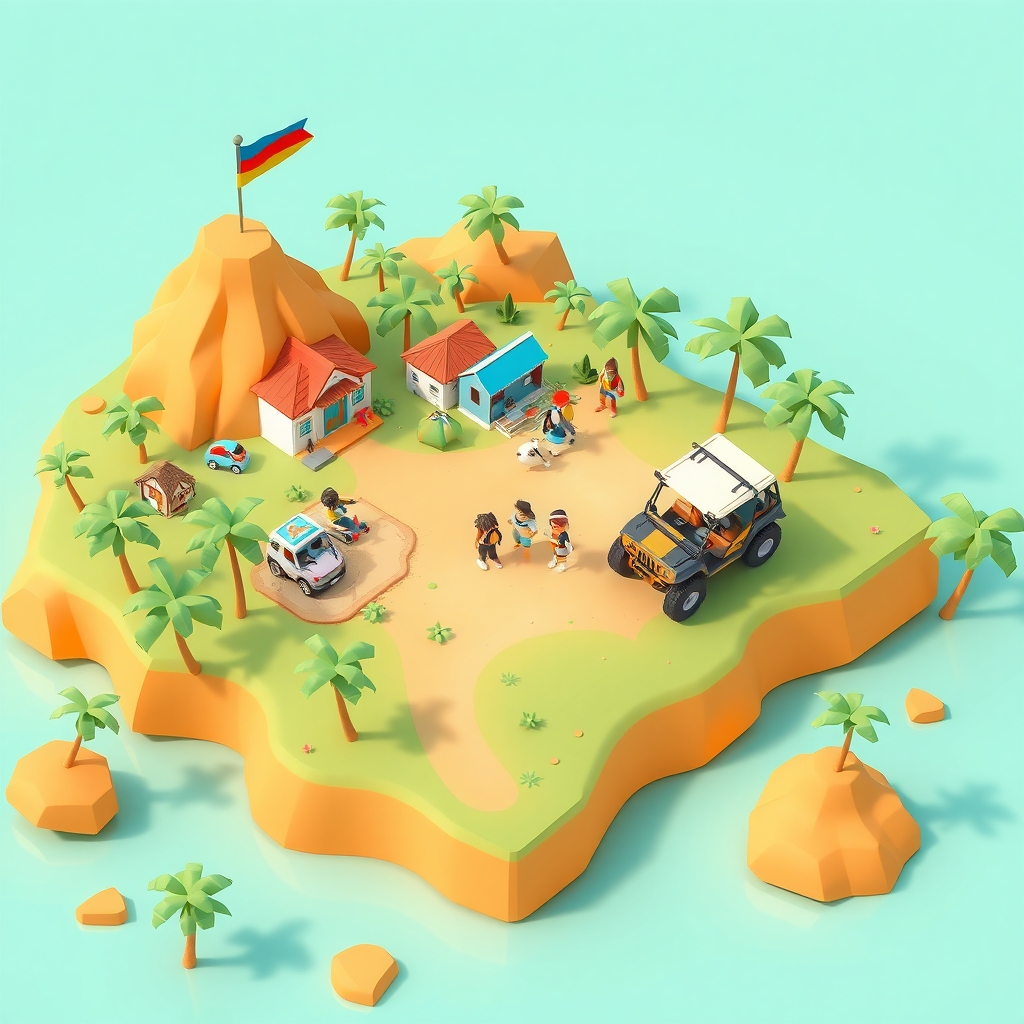
In short: Browser games no download multiplayer let you play instantly with friends or strangers without installation. The best options include .io arcade games (2-5 minutes), browser shooters (5-15 minutes), and battle royales (10-20 minutes). All run on HTML5 in modern browsers across desktop and mobile.
No download, no sign-up – jump straight into a match.Play now →
- Instant play requires only a modern browser—no downloads, accounts, or plugins needed for most games
- Session lengths vary dramatically: arcade .io games run 2-5 minutes while battle royales need 10-20 minutes
- Friend modes differ by game: some offer private rooms or invite links, others force public matchmaking only
- Mobile browser performance varies; turn on data saver and use Chrome or Safari for best results
- Bot backfill keeps games playable during low-population hours—check which titles offer this
What Are Browser Games No Download Multiplayer and How Do They Work?
Browser games no download multiplayer are games you launch directly in your web browser without installation, registration, or waiting. They run on HTML5 and WebGL technologies that deliver smooth 60fps gameplay rivaling native applications, even on budget devices Modern IO games use HTML5 and WebGL technologies. You click a link, wait seconds for assets to load, and join a live match against real players worldwide.
How instant play works in three steps:
| Step | Action | Time Required |
|---|---|---|
| 1 | Open the game's URL in any modern browser | Under 5 seconds |
| 2 | Enter a nickname (optional on most) or play as guest | 0-10 seconds |
| 3 | Get auto-matched into a live server with other players | 5-15 seconds |
Verified games that fit this definition:
- Slither.io — Multiplayer snake game with nostalgic gameplay where you grow by consuming orbs while competing worldwide; instant play with no account required Slither.io
- Agar.io — The foundational.io game where you control a cell absorbing smaller cells while avoiding larger ones; click and play with no registration barriers Agar.io
- Krunker.io — Fast-paced FPS with multiple character classes and weapon customization; runs at 60+ fps on most devices Krunker.io
- Shell Shockers — Quirky egg-themed FPS with rocket launchers and shotguns combining whimsical visuals with competitive gunplay Shell Shockers
- Surviv.io — Full battle royale with 100 players, shrinking map, and solo/duo/squad modes; everything you love about the genre without the massive download Surviv.io
- Diep.io — Tank evolution shooter with dozens of upgrade paths through a branching upgrade system Diep.io
- Wings.io — Aerial combat with intuitive controls and matches under 3 minutes for quick play Wings.io
- Wilds.io — Open-world multiplayer combat with survivalist theme, real-time PvP, and pixel art graphics; playable directly in browser without needing an expensive PC Wilds.io
- Catan Universe — Digital version of the classic board game with trading and strategic settlement building against players or AI Catan Universe
- Minecraft Classic — Browser version of the early sandbox with cooperative multiplayer features and nostalgic gameplay Minecraft Classic
The critical distinction from downloadable multiplayer games: server infrastructure handles matchmaking in real-time, meaning queue times vary by time of day and player population rather than your hardware capabilities.
How to Choose the Right Game: Player Count, Session Length, and Friend Modes
Match your available time and social setup to the right title, or you will spend more minutes waiting than playing.
Step 1: Check player counts and queue reliability. Arcade.io games like Slither.io and Agar.io maintain consistent populations around the clock, so you rarely wait more than 10 seconds for a match. Niche shooters and battle royales such as Surviv.io with its 100-player lobbies can experience longer queues during off-peak hours; the game fills empty slots with bots to keep matches moving Surviv.io offers a full battle royale experience in browser with 100 players. Krunker.io sidesteps this with smaller lobbies and runs at 60+ fps on most devices, keeping matchmaking snappy Krunker.io runs at 60+ fps on most devices.
Step 2: Align session length with your schedule. Slither.io sessions range from 5-30 minutes with easy difficulty, fitting coffee breaks Slither.io session time ranges from 5-30 minutes. Krunker.io extends to 5-60 minutes with hard difficulty for deeper competitive sessions Krunker.io session time ranges from 5-60 minutes. Wings.io compresses aerial combat into under 3 minutes for genuine micro-sessions Wings.io.
Step 3: Verify friend modes before inviting. Most.io games force public matchmaking with no private rooms. Catan Universe and Minecraft Classic support direct invites for controlled social play Catan Universe, Minecraft Classic. For guaranteed friend compatibility, see our dedicated guide to browser multiplayer games no download with friends.
| Factor | Arcade.IO | Shooters | Battle Royale | Strategy |
|---|---|---|---|---|
| Typical queue time | Under 10 sec | 10-30 sec | 30-90 sec | Invite-only |
| Session length | 2-5 min | 5-15 min | 10-20 min | 20-60 min |
| Play with friends | Public only | Some private lobbies | Squad modes | Full invite control |
| Bot backfill | Minimal | Common | Always | Not applicable |
Quick-Pick Flowchart: Find Your Match in 60 Seconds
Follow this decision tree to land in a live match suited to your constraints—no wasted clicks, no abandoned lobbies.
Start here: How much time do you have?
→ Under 3 minutes → Wings.io for aerial combat with matches compressed into sub-3-minute bursts Wings.io
→ 3-10 minutes → Slither.io (5-30 minute sessions, easy difficulty) or Agar.io for quick competitive loops with near-instant matchmaking Slither.io session time ranges from 5-30 minutes
→ 10-20 minutes → Surviv.io for full battle royale with 100 players, shrinking map, and squad modes—bot backfill ensures matches start even during quiet hours Surviv.io offers a full battle royale experience in browser with 100 players
→ 20+ minutes → Catan Universe or Minecraft Classic for invite-controlled sessions with friends Catan Universe, Minecraft Classic
Second filter: Are friends waiting?
| Situation | Best Pick | Setup Required |
|---|---|---|
| Playing alone, any time | Agar.io, Diep.io | None—auto-matched instantly |
| Friends available, no coordination | Surviv.io squad mode | Share server code after joining |
| Friends available, planned session | Catan Universe | Send direct invite before launch |
| Competitive practice, inconsistent hours | Krunker.io | Solo queue with ranking system Krunker.io runs at 60+ fps on most devices |
Third filter: Device limitation?
Mobile browser with data constraints → Stick to.io arcade titles; their lightweight HTML5 assets minimize transfer. Desktop with stable connection → Krunker.io or Shell Shockers for shooter fidelity without download overhead Shell Shockers.
Arcade.IO Games: 2-5 Minute Sessions (Slither.io, Agar.io, Diep.io, Wings.io)
Arcade.io titles deliver the fastest path from browser tab to active multiplayer, with matchmaking under 10 seconds and rounds designed for interruption—learn more in our browser IO games no download guide.
Slither.io combines nostalgic snake gameplay with modern competitive elements: consume orbs to grow while outmaneuvering other players worldwide. Sessions range from 5-30 minutes with easy difficulty, though connection issues can surface during peak hours Slither.io session time ranges from 5-30 minutes. No account required—open the site and spawn immediately.
Agar.io operates on a risk-reward cell absorption mechanic. Advanced strategies include corner camping for protection, split feeding with teammates for rapid growth, and using viruses as weapons against larger opponents Agar.io advanced strategies include corner camping. The granddaddy of multiplayer browser games remains accessible via instant click-and-play with no registration barriers.
Diep.io introduces progression depth through its tank evolution shooter framework. Dozens of upgrade paths branch across different playthroughs, letting you specialize into bullet-spam builds, sniper configurations, or ramming tanks Diep.io features a tank evolution system with dozens of upgrade paths. This creates replay variety absent in simpler arcade loops.
Wings.io compresses aerial combat into the shortest viable multiplayer window—matches finish in under 3 minutes. Intuitive mouse-and-keyboard controls support immediate competence, while dogfight intensity escalates as the leaderboard tightens Wings.io.
| Game | Session Length | Skill Floor | Best For |
|---|---|---|---|
| Slither.io | 5-30 min | Very low | Nostalgic relaxation |
| Agar.io | 2-10 min | Low | Strategic team play |
| Diep.io | 5-15 min | Medium | Build experimentation |
| Wings.io | Under 3 min | Very low | Micro-break gaming |
All four run on lightweight HTML5 and WebGL technologies that deliver smooth 60fps gameplay even on budget devices, minimizing mobile data consumption for cellular play Modern IO games use HTML5 and WebGL technologies.
Browser Shooters: 5-15 Minute Competitive Matches (Krunker.io, Shell Shockers)
Browser shooters bridge the gap between casual.io arcade games and full downloadable FPS clients, delivering competitive gunplay without installation overhead. These titles demand more from your browser than snake or cell games, but reward the investment with ranked progression and mechanical depth.
Krunker.io stands as the technical benchmark for browser-based shooting. It runs at 60+ fps on most devices and features multiple character classes with unique abilities, weapon customization, competitive ranking with seasonal rewards, and a map editor Krunker.io runs at 60+ fps on most devices. Session length ranges from 5-60 minutes with hard difficulty, earning it a 9.5/10 rating—the highest in its category Krunker.io session time ranges from 5-60 minutes. The ranking system provides long-term motivation absent in arcade.io titles, though the skill ceiling demands dedicated practice.
Shell Shockers trades competitive purity for distinctive personality. You play as an egg with a gun, wielding rocket launchers and shotguns in whimsical yet mechanically serious combat Shell Shockers features egg-themed characters with rocket launchers and shotguns. The visual absurdity lowers the intimidation factor for FPS newcomers while preserving enough competitive integrity to sustain experienced players.
| Feature | Krunker.io | Shell Shockers |
|---|---|---|
| Session length | 5-60 min | 5-15 min |
| Difficulty | Hard | Medium |
| Private lobbies | Available | Limited |
| Character classes | Multiple with unique abilities | Egg variants with loadout differences |
| Custom content | Map editor included | Preset modes only |
How to start playing in under 30 seconds: Open the game's official website, click "Play"—Krunker.io requires no account for casual matches, while Shell Shockers drops you into a public lobby immediately. For Krunker.io's ranked mode, create a free account to track seasonal rewards and weapon unlocks.
Both titles benefit from desktop browsers with hardware acceleration enabled. Mobile browser performance lags behind.io arcade games due to heavier WebGL shader loads; stick to Wi-Fi or unlimited data plans. For lighter alternatives that still support friend groups, see our guide to free browser battle royale games.
Battle Royale and Survival: 10-20 Minute Commitments (Surviv.io, Wilds.io)
Battle royale and survival browser games occupy the middle ground between instant arcade gratification and extended strategic sessions. These titles demand 10-20 minutes of focused attention, with mechanics that reward map awareness, loot prioritization, and squad coordination.
Surviv.io delivers a full battle royale experience with 100 players, shrinking map boundaries, and weapon variety—all in a top-down 2D perspective that reduces hardware demands without sacrificing tension Surviv.io offers a full battle royale experience in browser with 100 players. Solo, duo, and squad modes let you scale social commitment to your available group. Bot backfill ensures matches start even during off-peak hours, eliminating the queue-time uncertainty that plagues smaller multiplayer populations.
Wilds.io shifts the formula toward open-world survival combat with real-time PvP, pixel art graphics, and loot-driven progression Wilds.io. You explore, fight, and scavenge using WASD and mouse controls directly in browser—no installation or high-end hardware required.
| Game | Player Count | Map Dynamic | Squad Support | Bot Backfill |
|---|---|---|---|---|
| Surviv.io | 100 | Shrinking circle | Solo, duo, squad | Yes |
| Wilds.io | Variable open world | Static with contested zones | Team modes available | Limited |
How to drop in: For Surviv.io, open the official site, select your mode, and parachute within 15 seconds—share your server code post-landing to squad with friends. Wilds.io loads directly into its persistent world; use in-game party codes for coordinated group play. Both titles perform best on desktop Chrome or Firefox with hardware acceleration enabled; mobile browsers handle Surviv.io's 2D perspective adequately but struggle with Wilds.io's denser pixel-art particle effects.
Strategy and Board Games: Slower-Paced Social Play (Catan Universe, Minecraft Classic)
Not every browser multiplayer session demands reflexes or elimination mechanics. Strategy and board games translate classic social experiences into no-download formats, prioritizing negotiation, planning, and creative collaboration over twitch skill.
Catan Universe digitizes the classic resource-trading board game with full multiplayer online functionality and single-player options against AI Catan Universe. You gather wood, brick, sheep, wheat, and ore to build roads, settlements, and cities—victory requires trading with opponents rather than defeating them. Games typically run 20-45 minutes depending on player count and expansion settings. The browser version preserves the social negotiation core: you can propose trades in chat, block opponents' road expansion, and form temporary alliances. No download or installation is required; create a free account to save progress and join ranked matches.
Minecraft Classic offers the 2009-era sandbox in browser form with cooperative multiplayer features Minecraft Classic. Unlike modern Minecraft's survival crafting, this version strips to pure creative building: infinite blocks, no health bar, no enemies. Share your world link with friends for synchronous construction—one player builds a castle foundation while another adds towers. Sessions range from brief 10-minute structures to hours-long collaborative projects.
| Game | Session Length | Social Dynamic | Account Required |
|---|---|---|---|
| Catan Universe | 20-45 min | Competitive negotiation | Yes (free) |
| Minecraft Classic | 10 min – hours | Cooperative creation | No |
Both titles minimize data usage compared to action-heavy browser games, making them viable on metered mobile connections. Catan Universe performs adequately on mobile Safari and Chrome; Minecraft Classic's simple WebGL rendering runs smoothly even on aging hardware. For players seeking additional cooperative browser experiences, our guide to browser multiplayer games no download covers friend-invite workflows across genres.
Our Own Game: LudoSnake — Instant Battle Royale With Friends
LudoSnake delivers browser-based battle royale action built for immediate group play without downloads or account barriers.
Core design priorities: Matches start quickly after landing on the page, with shareable invite links that let you bring friends into the same match. The control scheme adapts to your device—WASD and mouse on desktop, touch-optimized virtual sticks on mobile browsers—so no one sits out because of hardware limitations.
How to drop in with friends:
- Open the game in any modern browser
- Click "Invite friends" to get a shareable link
- Share the link through text, Discord, WhatsApp, or Slack
- Friends who follow the link join your match directly
- No minimum player count required, with bot backfill ensuring competitive matches even for partial squads
Session length targets the 8-12 minute sweet spot between arcade.io games and extended survival titles like Surviv.io's 100-player matches Surviv.io offers a full battle royale experience in browser with 100 players. This keeps the format viable for lunch breaks without sacrificing the tension of meaningful map contraction.
Performance runs on HTML5 and WebGL technologies that deliver smooth 60fps gameplay on budget devices Modern IO games use HTML5 and WebGL technologies. The low-poly 3D art style and compact island design keep data usage light, making cellular play practical on limited data plans.
For players who want deeper battle royale mechanics in browser, our guide to free browser battle royale games compares map sizes, player counts, and squad sizes across the category.
Performance Tips: Browser Settings, Mobile Data, and Troubleshooting
Browser multiplayer games live or die by how well your system handles WebGL and network traffic. Enable hardware acceleration in Chrome (Settings > System > "Use graphics acceleration when available") or Firefox (Settings > Performance > "Use recommended performance settings") to hit the 60+ fps that Krunker.io and modern.io titles demand Krunker.io runs at 60+ fps on most devices. Disable unnecessary browser extensions—ad blockers and password managers can spike CPU usage during particle-heavy moments in Shell Shockers or Diep.io.
Mobile data planning matters for spontaneous sessions. Lightweight HTML5 arcade games like Slither.io and Agar.io transfer minimal data due to simple 2D graphics, while 3D shooters with heavier WebGL assets consume more bandwidth. Surviv.io's 100-player lobbies run lighter than native battle royales due to its 2D perspective Surviv.io offers a full battle royale experience in browser with 100 players. On limited plans, avoid graphics-intensive 3D titles during peak congestion when packet loss causes rubber-banding.
Connection troubleshooting sequence: refresh with Ctrl+F5 to bypass cached assets, test on a second browser to isolate extension conflicts, and switch from cellular to Wi-Fi if lobby load times exceed 30 seconds.
Full disclosure: we make LudoSnake. Our own game uses aggressive texture compression and a compact 480 m island to keep data usage light. The mobile browser version includes aim assist and auto-optimized render scaling to maintain playable frame rates on mid-range Android devices and older iPhones—though you'll want Wi-Fi for the smoothest PvP experience. Test your setup at ludosnake.xyz.
FAQ
Do I need to create an account to play multiplayer browser games?
Most .io games like Slither.io and Agar.io require no account—click and play immediately. Some titles like Krunker.io offer optional accounts for ranked progression and cosmetics, but core multiplayer remains accessible without registration. LudoSnake uses anonymous device accounts, so sending a link puts friends in your match within seconds.
Can I play browser multiplayer games with friends on different devices?
Yes, HTML5 browser games work cross-platform between desktop and mobile. However, not all games support private lobbies. Slither.io and Agar.io use public servers with no friend invites. Games like LudoSnake and Minecraft Classic allow direct links for coordinated play across phones, tablets, and PCs.
How much mobile data do browser multiplayer games use?
Light .io games like Slither.io consume roughly 5-10 MB per hour. Graphics-intensive shooters like Krunker.io or Shell Shockers use 30-50 MB hourly. Battle royales with larger maps and more players approach 80-100 MB per hour. For cellular play, close background apps and disable auto-play video ads where possible.
What happens if a browser game has no active players?
Population varies by time zone and game age. Some titles become unplayable during off-peak hours. Others use bot backfill: LudoSnake fills lobbies with AI after one minute of waiting, and its VS AI mode starts instantly. Always check whether a game offers bot alternatives before committing to a session.
Why did browser games switch from Flash to HTML5?
Adobe ended Flash support in December 2020 due to security vulnerabilities and performance limitations. Modern browser games use HTML5, WebGL, and WebAssembly, delivering 60fps gameplay without plugins. This shift enabled mobile browser compatibility and faster loading times that define today's instant-play experience.
Which browser is best for multiplayer browser games?
Chrome and Edge offer the best WebGL performance for complex games like Krunker.io. Safari handles mobile browser games efficiently on iOS. Firefox works well but may need hardware acceleration enabled. Avoid outdated browsers—HTML5 features required by modern games fail on Internet Explorer or old Safari versions.