How to Play 3D Games Without Downloading: Complete Browser Guide 2026
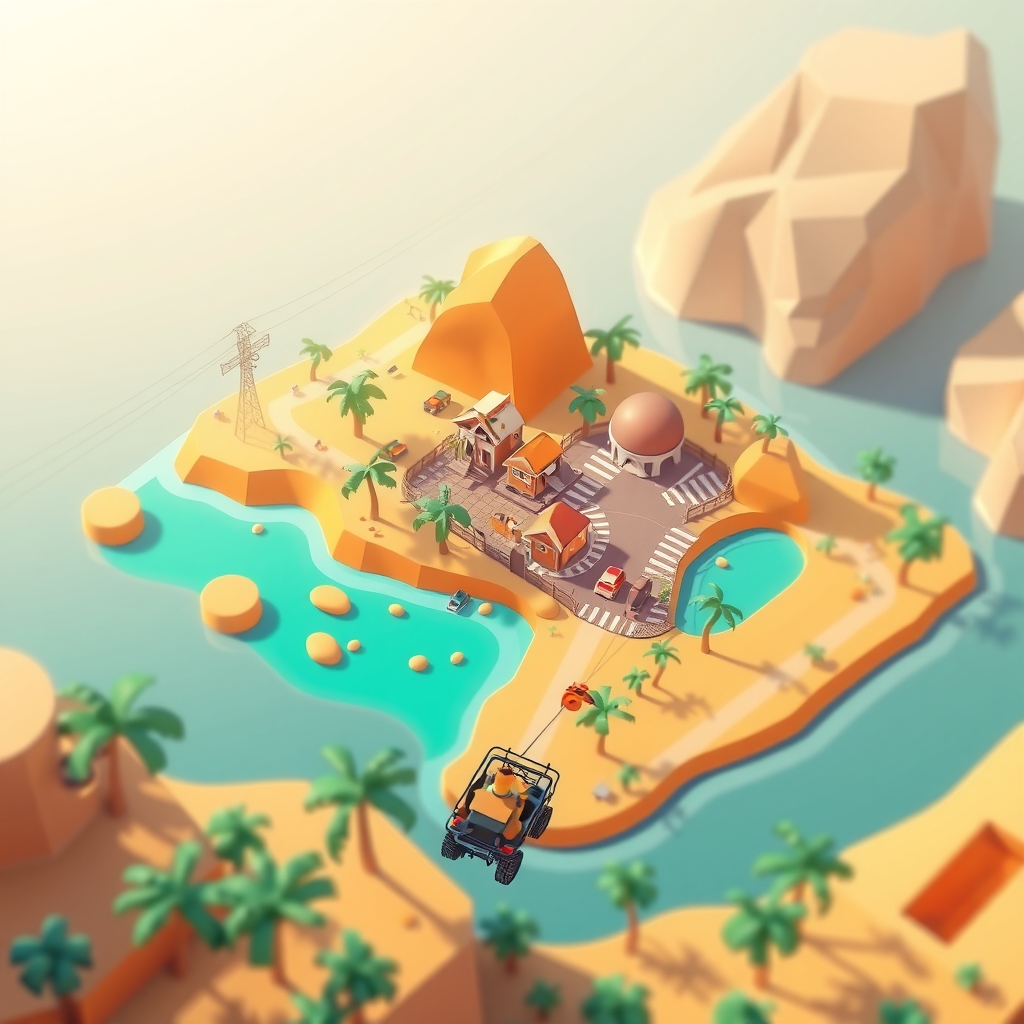
In short: You can play 3D games without downloading by using browser-based technologies like WebGL, WebGPU, and cloud streaming services. Modern browsers render complex 3D graphics instantly when you visit a gaming website—no installation, app store, or file downloads required. This works on PC, Mac, smartphones, and tablets with a stable internet connection and updated browser.
No download, no sign-up – jump straight into a match.Play now →
- WebGL and WebGPU enable hardware-accelerated 3D graphics directly in your browser without plugins or downloads
- Cloud gaming services stream full 3D titles to your browser, though they require higher bandwidth
- Mobile browsers now handle 3D games well with touch-optimized controls and aim assist
- Progressive Web Apps offer optional installation while preserving instant browser play as the default
- Common issues like WebGL errors or black screens are fixable through browser settings and driver updates
How Do 3D Games Run in a Browser Without Downloading Anything?
Browser-based 3D games load and execute entirely within your web browser using three core technologies that replace traditional software installation. WebGL (Web Graphics Library) renders 3D graphics directly through your browser's HTML5 canvas, translating game visuals into GPU instructions without needing a separate graphics engine download. WebAssembly (Wasm) compiles game code into a binary format that runs at near-native speed inside the browser sandbox, handling physics calculations, game logic, and asset decompression on demand. Streaming asset delivery means textures, models, and audio load progressively as you play—only the immediate level data transfers, not the entire game file.
Here's how the process works step by step:
| Stage | What Happens | User Action Required |
|---|---|---|
| 1. Initial load | Browser fetches HTML/JS wrapper (typically 2–5 MB) | Click the game link |
| 2. Engine bootstrap | WebAssembly module initializes rendering context | None—automatic |
| 3. Asset streaming | 3D models and textures download per scene | Wait for progress bar |
| 4. Local caching | Browser stores repeated assets temporarily | None—handled by browser |
| 5. Runtime execution | Game loop runs via JavaScript + WebGL | Play immediately |
Unlike downloadable games that install 10–50 GB upfront, browser 3D titles operate on a "play while downloading" model. The critical distinction: no executable file ever saves to your device. Data remains in browser cache and clears automatically based on your storage settings. This architecture enables instant play on any device with a compatible browser, from Chromebooks to smartphones, without app store approvals or system permissions.
Performance depends on your browser's WebGL implementation. Chrome, Edge, and Firefox maintain the most mature WebGL 2.0 support, while Safari requires explicit experimental feature enablement for advanced 3D rendering.
Where Can I Find Legitimate No-Download 3D Games?
Legitimate browser-based 3D games cluster around five platform categories, each with distinct content types and access models. Understanding where to look prevents wasted time on placeholder pages or ad-heavy aggregators.
Official game publisher portals offer the most reliable experience. Studios like Epic Games (Unreal Engine WebGL exports), Unity WebGL publishers, and indie developers on Itch.io host playable builds directly. These sources provide original titles with verified code integrity—no repackaged or modified files.
Browser game aggregators curate larger libraries. Sites such as CrazyGames, Poki, and Y8 license 3D titles from developers and handle hosting infrastructure. Quality varies; prioritize aggregators displaying WebGL or Unity WebGL badges, indicating modern 3D engines rather than Flash-era ports.
Cloud gaming services extend the no-download concept to AAA titles. NVIDIA GeForce NOW, Xbox Cloud Gaming, and Amazon Luna stream rendered frames to your browser, requiring only a video decoder. These demand stronger internet (15+ Mbps recommended) but deliver Fortnite, Cyberpunk 2077, and similar heavy 3D games without installation.
Red flags to avoid: Platforms demanding executable downloads labeled "browser helpers," excessive pre-game surveys, or missing HTTPS encryption. Legitimate no-download 3D games load directly after clicking—no intermediate installers.
For multiplayer-focused options, our guide to Browser Multiplayer Games No Download covers verified instant-play titles with active player bases.
Step-by-Step: Getting Your First Browser 3D Game Running
Starting your first browser 3D game takes under two minutes if you follow a consistent setup routine. The process differs slightly between instant WebGL titles and cloud-streamed games, so choose your path first.
For instant WebGL browser games:
| Step | Action | Expected Result |
|---|---|---|
| 1 | Open Chrome, Edge, or Firefox (updated within last 3 months) | Browser launches clean session |
| 2 | Navigate to verified platform: CrazyGames, Poki, or Itch.io WebGL section | Game library loads |
| 3 | Filter by "3D" or "WebGL" tag | List narrows to hardware-accelerated titles |
| 4 | Click game thumbnail—ignore any "Download" buttons; legitimate WebGL games show "Play" only | Game canvas appears with loading bar |
| 5 | Allow microphone/camera only if multiplayer voice chat is essential; deny all other permissions | Game initializes WebGL context |
| 6 | Wait for initial asset bundle (typically 15–60 seconds on broadband) | Main menu or tutorial starts |
Critical verification: Before clicking, check the URL bar for HTTPS and look for "Unity WebGL" or "WebGL 2.0" indicators near the game title. No legitimate browser 3D game requires.exe,.dmg, or.apk files.
For cloud gaming services (GeForce NOW, Xbox Cloud Gaming):
Create free account → Verify email → Launch browser client → Connect game store library (Steam, Epic, Xbox) → Select 3D title → Stream begins. No local installation occurs; your browser receives video feed while remote servers handle rendering.
First-time troubleshooting: If you encounter a black screen after step 4, your browser likely blocks WebGL. Type chrome://gpu (Chrome/Edge) or about:support (Firefox) in address bar, search "WebGL"—if marked "Unavailable," enable hardware acceleration in browser settings and restart.
Mobile users should request desktop site for full 3D control schemes; touch overlays on mobile-optimized versions often simplify camera movement but limit competitive precision.
What Device and Browser Do I Need for Smooth 3D Browser Gaming?
Any device with a modern web browser and active internet connection can run browser-based 3D games, but performance varies significantly based on hardware acceleration support and WebGL implementation maturity.
Desktop requirements:
| Component | Minimum | Recommended |
|---|---|---|
| Browser | Chrome 88+, Firefox 85+, Edge 88+ | Latest stable release |
| RAM | 4 GB | 8 GB+ for asset-heavy titles |
| GPU | Integrated graphics with WebGL 1.0 | Dedicated GPU with WebGL 2.0 |
| Internet | 5 Mbps | 10+ Mbps for seamless asset streaming |
Chrome, Edge, and Firefox deliver the most reliable WebGL 2.0 performance due to mature ANGLE graphics backend integration. Safari presents specific limitations: WebGL 2.0 remains experimental on macOS and disabled by default on iOS, requiring manual enablement through Safari's Develop menu for advanced 3D rendering.
Mobile-specific constraints:
Smartphones and tablets achieve playable 3D browser performance but may experience thermal throttling during extended sessions. Android devices with Chrome generally outperform iOS equivalents due to unrestricted WebGL access. Data usage accumulates with asset streaming—consider your data plan when playing on mobile networks. Disable "Data Saver" modes, which aggressively compress images and break texture loading.
Verification steps:
- Type
chrome://gpu(Chrome/Edge) orabout:support(Firefox) in your address bar - Locate "WebGL" or "Graphics" section
- Confirm "WebGL: Hardware accelerated" appears
- Check "WebGL2" shows "Available" for modern titles
If either reads "Software only" or "Unavailable," update your browser or enable hardware acceleration in settings. Chromebooks function adequately for lightweight 3D browser games but struggle with complex physics simulations due to limited GPU memory allocation in Chrome OS sandboxing.
For multiplayer 3D experiences optimized across these device categories, see our Browser Multiplayer Games No Download guide.
How Can I Fix Lag, Black Screens, and WebGL Errors in Browser 3D Games?
Browser 3D games fail to start for three predictable reasons: disabled hardware acceleration, outdated graphics drivers, and conflicting browser extensions. Fixing these requires targeted diagnostics rather than generic refresh attempts.
Black screen on launch:
| Symptom | Root Cause | Fix |
|---|---|---|
| Black canvas, no audio | WebGL context creation failed | Enable hardware acceleration in browser settings → restart |
| Black screen, loading audio plays | Shader compilation error | Switch to Chrome or Edge; Firefox's WebGL shader compiler rejects certain GLSL 3.0 constructs |
| Intermittent black frames | GPU memory exhaustion | Close other tabs; reduce browser zoom below 100% to lower render resolution |
WebGL error messages:
Type chrome://gpu (Chrome/Edge) or about:support (Firefox) to access graphics diagnostics. Look for "WebGL2" status—if marked "Software only," your browser fell back to CPU rendering, explaining severe lag. Update your GPU drivers directly from NVIDIA, AMD, or Intel; Windows Update often delivers outdated versions that lack critical WebGL extensions.
Lag during gameplay:
Browser 3D games stream assets dynamically. Stuttering typically indicates network bottlenecks, not hardware limits. Press F12 → Network tab → throttle detection: if "Time to First Byte" exceeds 500ms consistently, your connection cannot sustain asset streaming. Lower in-game texture quality or play during off-peak hours. Disable "Smooth scrolling" and "Hardware-accelerated video decode" in browser flags (chrome://flags); these compete for GPU resources with WebGL contexts.
Extension conflicts:
Ad blockers and privacy extensions (uBlock Origin, Privacy Badger, NoScript) frequently block WebAssembly compilation or cross-origin texture loading. Whitelist the game domain entirely—partial permissions still break 3D rendering pipelines. Grammarly and similar overlay extensions inject DOM elements that interfere with fullscreen canvas capture, causing input lag or cursor offset.
For persistent issues across multiple 3D titles, test with a fresh browser profile before blaming individual games. Our Browser Games No Download guide includes additional platform-specific workarounds for Chromebook and Safari users.
Instant Browser Play vs. Cloud Gaming vs. PWAs: Which No-Download Method Fits You?
Three distinct technologies deliver 3D games without downloads, each with different hardware demands, game libraries, and latency profiles. Your choice depends on device capability, game genre preference, and internet stability.
| Method | How It Works | Best For | Limitations |
|---|---|---|---|
| Instant Browser Play (WebGL/WebGPU) | Game assets download to browser cache; GPU renders locally via WebGL 2.0 or WebGPU | Lightweight 3D titles, quick sessions, low-end hardware | Limited to ~2 GB asset budgets; complex AAA visuals exceed browser memory |
| Cloud Gaming (GeForce NOW, Xbox Cloud Gaming) | Remote server renders full 3D scene; browser receives video stream | AAA games, ray-traced graphics, extended play | Requires stable broadband connection; subscription costs for premium tiers; input latency in competitive multiplayer |
| Progressive Web Apps (PWAs) | Installable web wrapper caches core files; hybrid local/remote execution | Repeat play of specific titles, offline menu access | Still requires online connection for multiplayer; limited offline functionality |
Decision framework:
Choose instant browser play if you want immediate access without accounts—titles on CrazyGames or Poki launch in under 30 seconds with no registration. This matches the no-download slot model where you simply choose the game and start playing, with no backend differences between free and paid versions beyond virtual currency limits Free slots can be played directly from the website without download and with no registration.
Choose cloud gaming only if your device cannot run WebGL 2.0 hardware-accelerated content—verify via chrome://gpu first. The video-streaming approach bypasses local GPU requirements entirely but introduces additional latency, problematic for first-person shooters.
Choose PWAs for games you revisit weekly; the install prompt appears after two sessions on supported platforms, reducing subsequent load times by caching shaders and geometry data. No app store visit required—installation triggers directly from the browser address bar.
Practical test: Open a WebGL diagnostic page. If "WebGL2: Hardware accelerated" appears, instant browser play delivers superior visual fidelity at zero cost. If marked unavailable, cloud gaming becomes your viable no-download path.
Our Own Game: How LudoSnake Delivers Full 3D Battle Royale Without a Download
Full disclosure: we make LudoSnake, a free low-poly 3D battle royale that runs instantly at ludosnake.xyz—no download, no login required.
The game demonstrates what browser-based 3D can achieve beyond simplified slots or casual puzzlers. You join 40-player matches with full battle royale mechanics: parachute from 60 meters, loot five named towns across a 480-meter island, drive buggies at 17 m/s to escape the shrinking safe zone, and engage in third-person combat with five weapon types including sniper rifles effective to 160 meters.
How we eliminate friction:
| Barrier | Typical 3D Game | LudoSnake Solution |
|---|---|---|
| Download size | 10–50 GB client | Instant load in browser; optional PWA install |
| Account creation | Email, password, verification | Anonymous device account—open URL and play |
| Match startup | Queue times, lobby waits | VS AI mode fills instantly with bots; PvP adds real players after one minute |
| Cross-device play | Separate mobile/PC clients | Identical session: mobile dual-thumb controls with aim assist, PC keyboard-mouse precision |
The technical implementation uses WebGL 2.0 with aggressive asset optimization—low-poly geometry and procedural textures keep initial load under 15 seconds on 4G connections. Progressive Web App installation remains strictly optional; the complete experience including Battle Pass progression, seasonal leaderboards, and friend invites via share link functions identically in browser.
Performance varies by device: mid-range Android devices and desktops with hardware-accelerated WebGL generally achieve smooth gameplay, while extended mobile sessions may benefit from reducing render scale in settings to manage heat and sustain frame rates.
Drop into a match right now at ludosnake.xyz—no download, no login, just press JUMP and see how long you survive.
Free vs. Paid No-Download 3D Games: What Actually Costs Money?
Free browser-based 3D games generate revenue through three primary models: cosmetic microtransactions, battle passes with tiered rewards, and ad-supported sessions. Understanding which costs are mandatory versus optional prevents unexpected spending.
Cosmetic-only free games sell character skins, weapon wraps, and emotes without affecting gameplay balance. These titles—common in the.io and casual 3D space—remain fully playable at zero cost indefinitely. Free IO Games Multiplayer Online: Instant Browser Play Guide 2026
Freemium games with progression gates offer accelerated advancement through purchased currency. The base experience costs nothing, but competitive players face implicit pressure to buy boosters. Evaluate whether time-limited events are completable without spending—many browser MMOs design impossible final tiers for non-paying users.
Subscription cloud gaming (GeForce NOW Priority, Xbox Game Pass Ultimate) charges monthly fees for extended session lengths, higher resolution streams, or access to premium titles. The no-download convenience persists, but the financial barrier shifts from upfront purchase to recurring billing.
| Cost Type | What You Pay For | Typical Price Point |
|---|---|---|
| Cosmetic items | Visual customization only | $2–$15 per item |
| Battle Pass | Seasonal progression rewards | $5–$10 per season |
| Ad removal | Elimination of between-match video ads | One-time $2–$5 |
| Cloud premium | 4K streaming, priority servers | $10–$20/month |
Verification step: Before entering payment details, confirm whether the game operates on a "no registration" model like free slots, where virtual money is provided in a limited amount for free play, but you can always replenish the balance and keep on playing without making a deposit Virtual money is provided in a limited amount for free play, but you can always replenish the balance and keep on playing without making a deposit. Legitimate browser games disclose drop rates for randomized purchases and provide parental controls for minor accounts.
Is It Safe to Play 3D Games in My Browser? Security Checklist
Browser-based 3D games eliminate executable downloads, removing the primary vector for malware infections—but they introduce web-specific risks that require active verification.
Domain verification before play:
| Check | Action | Red Flag |
|---|---|---|
| HTTPS | Confirm padlock icon in address bar | Missing certificate or "Not Secure" warning |
| License disclosure | Scroll to footer for gambling/commercial licenses | No regulatory body named; vague "certified" claims |
| URL spelling | Compare against known platforms | Typosquats like "craztygames.com" or "poki-games.net" |
Permission hygiene: WebGL games legitimately request graphics acceleration access. Deny unexpected requests for file system access, camera, or microphone unless the game explicitly requires streaming or avatar creation. Clear site data after sessions on unfamiliar domains—Chrome stores WebGL shader caches and IndexedDB databases that persist across visits.
Payment safety: When choosing a platform for games with purchases, ensure the site displays licenses and maintains a clearly separated free-play section When choosing a casino for free no-download slots, players should pay attention to licenses and ensure the casino has a section with free slots. Legitimate operators disclose RNG certification and responsible gaming tools; unlicensed sites may manipulate outcome algorithms or withhold withdrawals.
Performance-based warning signs: Excessive CPU usage during "loading" screens suggests cryptocurrency mining scripts masquerading as games. Open browser task manager (Shift+Esc in Chrome) and terminate tabs exceeding 80% CPU without visible rendering progress.
For completely anonymous, zero-permission 3D gameplay, drop into a match at ludosnake.xyz—no download, no login, no personal data required.
FAQ
Do I need a powerful computer to play 3D games in my browser?
No. Browser-based 3D games use WebGL or WebGPU to leverage your device's existing graphics hardware, and many are optimized to run on mid-range phones and laptops. Cloud streaming services handle rendering on remote servers, making even demanding 3D titles accessible on basic hardware. Your internet connection matters more than raw processing power for most no-download 3D experiences.
Why does a 3D game show a black screen or 'WebGL not supported' error?
This usually means WebGL is disabled in your browser settings, your graphics drivers are outdated, or your device lacks hardware acceleration. Enable WebGL in Chrome by typing chrome://flags and setting 'WebGL 2.0' to Enabled. Update your GPU drivers through Windows Update or your manufacturer's tool. On older devices, try a different browser—Firefox and Chrome typically have the best WebGL support.
Are no-download 3D games safe from viruses and malware?
Legitimate browser-based 3D games are safer than downloaded executables because they run in a sandboxed environment with limited system access. Stick to established platforms and avoid sites that request unnecessary permissions or push additional downloads. Check for HTTPS encryption and read user reviews before granting camera, microphone, or notification access to any gaming site.
Can I play 3D browser games on mobile data without using too much bandwidth?
Native browser 3D games using WebGL typically consume 5–15 MB per hour—comparable to browsing websites. Cloud streaming services like GeForce NOW require substantially more data, often 10–15 GB per hour for 1080p streams. For mobile data conservation, prefer lightweight WebGL games over cloud streaming, close background apps, and disable auto-play video elements on gaming portals.
What's the difference between instant browser play and cloud gaming for 3D titles?
Instant browser play runs game code directly in your browser using WebGL/WebGPU, with minimal latency and low data usage but limited graphical complexity. Cloud gaming streams video of a remotely rendered game to your browser, enabling AAA 3D graphics but requiring fast, stable internet and consuming significant bandwidth. Browser-native 3D works offline after initial load; cloud gaming stops entirely without connectivity.
Do I need to create an account to play 3D games without downloading?
Many browser-based 3D games offer anonymous play with no registration required. Some platforms use device-based accounts that preserve progress without email or passwords. Competitive multiplayer titles may require accounts for matchmaking and leaderboards. Always check what data a site collects—anonymous options exist for most casual and battle royale browser games, including titles like LudoSnake that launch instantly with no login wall.